
📑 Reports
While Dashboards are ideal for monitoring daily KPIs and real-time financial performance, Reports are designed for structured financial communication — including:
-
Monthly Reviews
-
Quarterly Reports
-
Board Meetings
-
Investor Updates
-
Executive Presentations
Reports create structure around the numbers. They ensure everyone is reviewing the same story, with the same definitions, at the same time — clearly showing:
-
What we planned
-
What actually happened
-
What we’re going to do about it
1️⃣ Why Use Reports?
Reports are ideal when you need:
-
A formal presentation format
-
Consistent recurring review documents
-
Structured comparison of Budget vs Actual vs Forecast
-
Professional exports for leadership or stakeholders
-
Branded, polished financial storytelling
Unlike dashboards (which are interactive monitoring tools), reports are meant to deliver a guided financial narrative.
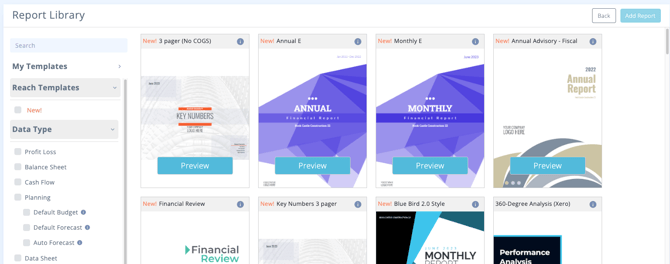
2️⃣ Choosing a Report Template
Just like dashboards, when creating a report you can select from a Template Library.
Each template includes:
-
A brief description
-
Included KPIs and visuals
-
Specific use-case focus
Hover over the tooltip to preview details before selecting.
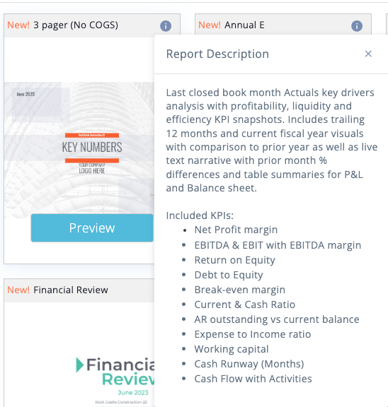
There are templates for:
-
Monthly reviews
-
Financial summaries
-
Variance reporting
-
Cash flow analysis
-
Executive board packages
-
And more
3️⃣ Opening the Report Builder
Let’s look at an example: Monthly Review Report. When opened, you’ll enter the Report Builder interface.
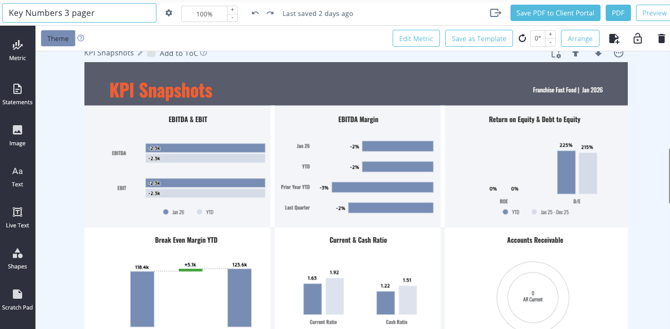
Right away, you’ll notice:
-
A cover page
-
Structured report sections
-
Metrics already applied to pages
-
Editable content blocks
4️⃣ Customizing Your Report
Reports are fully customizable — from layout to branding.
🖼 Adding Branding
You can:
-
Upload your Company Logo
-
Adjust header text
-
Modify section titles
-
Change colors to match your brand guidelines
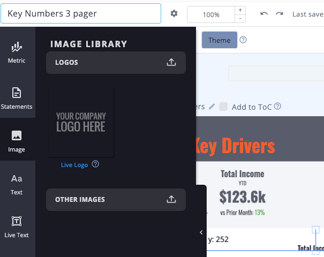
This ensures your reports align with your company’s visual identity.
✏️ Editing Text & Layout
Every header and text block can be edited:
-
Update commentary
-
Modify section names
-
Add executive summaries
-
Provide contextual analysis
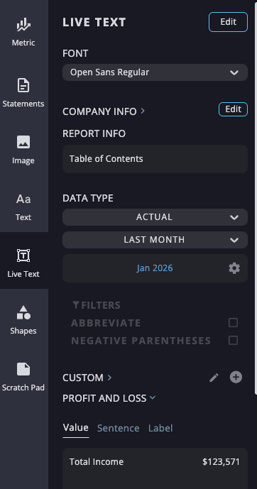
Reports allow you to combine financial visuals with written interpretation.
5️⃣ Using the Metric Library
Inside the Report Builder, you have access to:
-
Your saved metric templates
-
The full PlanGuru Analytics/Reach template library
-
Previously created dashboard metrics
You can drag and drop metrics directly into your report pages.
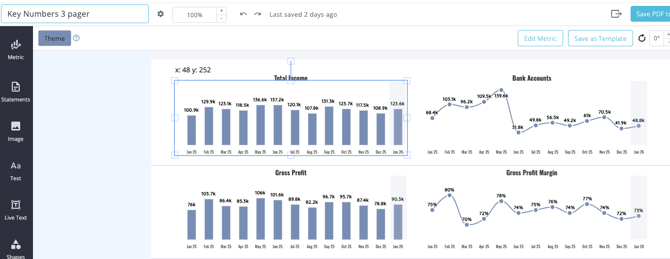
This makes report building efficient and consistent.
6️⃣ The Scratch Pad Feature
One of the most powerful report tools is the Scratch Pad.
What is the Scratch Pad?
The Scratch Pad allows you to save:
-
A section of a page
-
An entire page
-
A custom layout
So you can reuse it in future reports without rebuilding it.
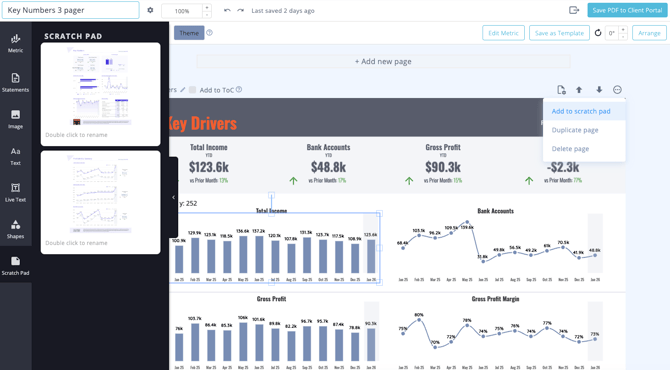
How It Works
-
Click the Add to Scratch Pad button on a page or section.
-
The layout is saved.
-
In future reports, simply drag it in from the Scratch Pad.
This is ideal for:
-
Standard board meeting formats
-
Recurring executive summaries
-
Advisor client reporting packages
-
Departmental review pages